



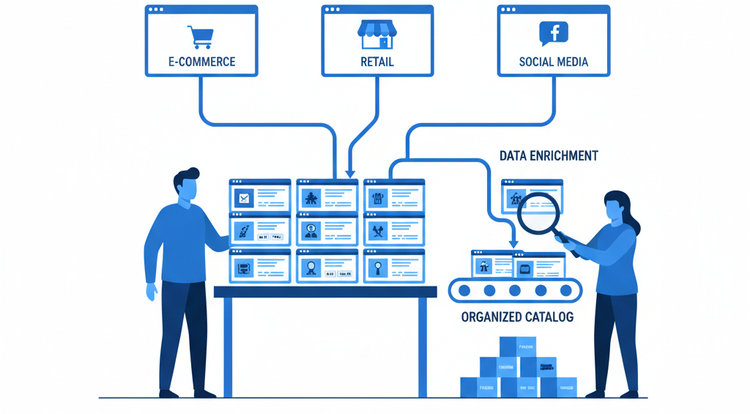
What steps should I follow to migrate product data from Excel to a PIM?
The moment has arrived: the endless Excel sheets are going into the trash, and you are transitioning to a PIM system. A milestone for the professionalization of your wholesale business. However, the thought of moving thousands of rows of data, technical specifications, and images can be overwhelming.
Proper preparation is half the battle. Migration isn't just 'copying and pasting'; it's the ideal moment to clean and structure your data. Follow these steps for a flawless transition.
At a glance: PIM Migration Roadmap
-
Audit: Inventory what data you currently have and assess its quality.
-
Cleaning: Remove duplicates and outdated items before importing.
-
Data Model: Determine which fields (attributes) you need in the PIM for your products.
-
Mapping: Link your Excel columns to the correct fields in the PIM system.
-
Test Import: Start with a small batch to check if everything is imported correctly.
-
Enrichment: Use powerful PIM features (and AI) to immediately improve data after import.
Step 1: The Big Clean-up (Data Audit)
Never start by importing incorrect data. Excel lists often grow organically, resulting in different spellings and duplicate items. Go through your current files: which columns are essential? Which data is outdated? Anything you discard now won't have to be managed later.
Step 2: Building your new home (Data Model)
In a PIM, you determine the structure beforehand. Instead of a loose cell in Excel, you create 'attributes'. Think of: Color, Material, EAN code, or Power. By setting this up smartly, you force consistency for the future.
Step 3: Mapping – What goes where?
Mapping is the process where you say: "Column B in my Excel file should go into the PIM field 'Commercial Description'." This is meticulous work. Pay close attention to units: ensure that 'mm', 'cm', and 'meters' are not mixed up.
Step 4: Test Import and Validation
Don't import your entire assortment of 20,000 items at once. Take a representative group of 50 products. Check if the filters in the PIM work correctly with this data and if all images are correctly linked. Only when this is 100% correct do you proceed with the rest.
Step 5: Enriching with the AI Assistant
Once your data is in the PIM, the fun begins. Much Excel data is purely technical and dry. With PLGGR's AI features, you can now quickly convert this technical data into attractive webshop copy. Migration is not the endpoint, but the start of much higher data quality.
"The transition from Excel to a PIM isn't just about technology, it's mostly about regaining control. It gives a team a massive boost when they see their product data finally working for them instead of the other way around." - Wesley Regtuit, Business Line Manager at PLGGR.
Conclusion: From the Excel swamp to data-driven growth
Transitioning from Excel to a PIM system is more than just a technical move; it is the foundation for your wholesale business's digital growth. By following a structured migration process, you prevent bringing old problems into your new environment. The result is a catalog that is always accurate, goes live faster, and is ready for the future.
Curious how quickly you can migrate your data to PLGGR | PIM? Leave the manual labor behind and discover how our smart import tools and AI assistant transform your data management. Book a 20-minute demo call and experience the advantages and speed of PLGGR for yourself.


